
ISP Pinout and Dump
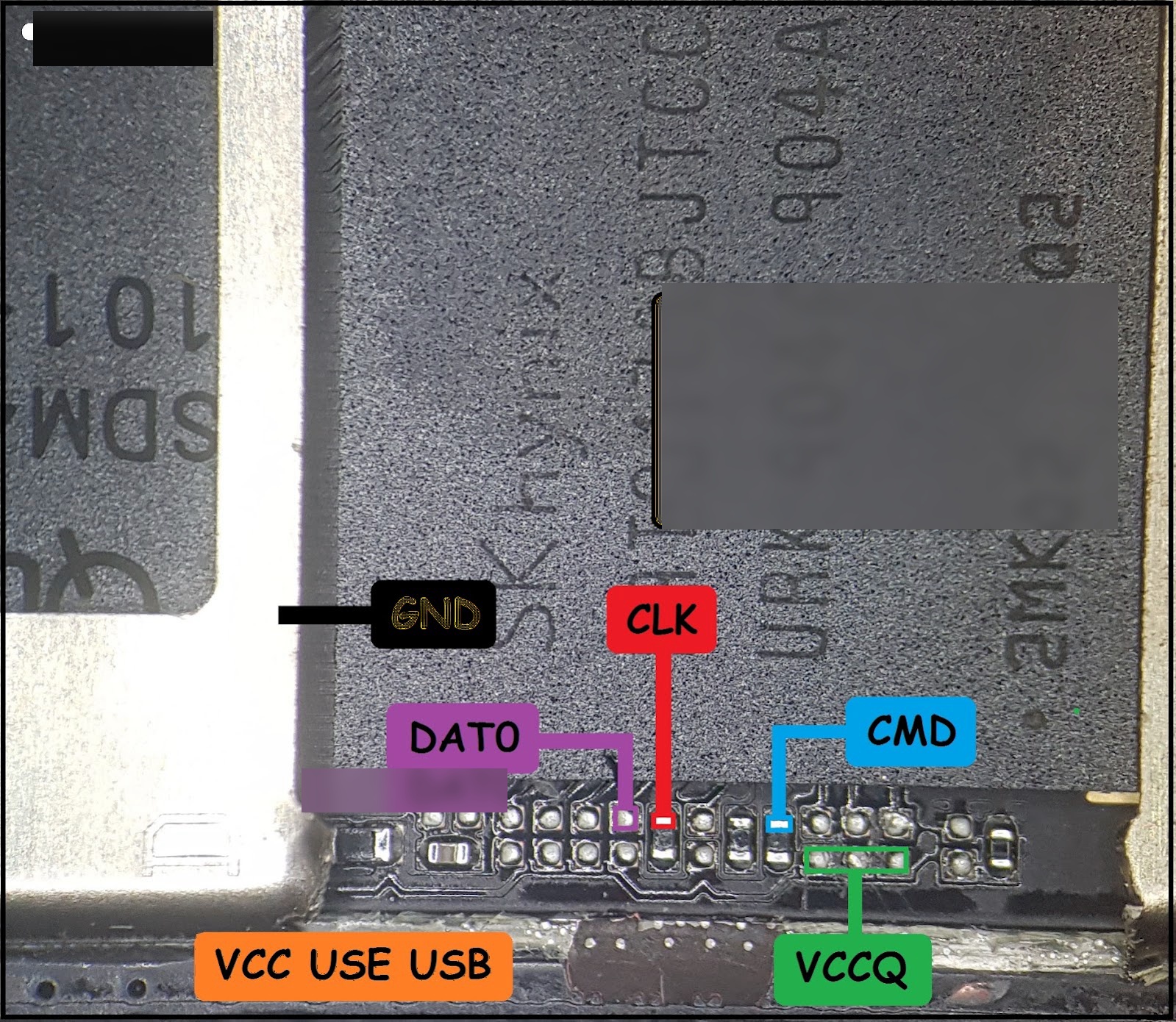
Redmi 7A (Pine) eMMC ISP Pinout
Dead boot or eMMC read fail on Xiaomi Redmi 7A (codename: Pine)? Use this ISP pinout to connect EasyJTAG, UFI, Medusa Pro, or any ISP adapter without removing the eMMC chip.
High-resolution ISP pinout:
(Main diagram attached via ISP Pinout field — open full size from the image.)
Jumper points
- GND — motherboard ground / shield
- DAT0 — eMMC data line
- CLK — clock
- CMD — command
- VCCQ — I/O voltage pad
- VCC — use USB cable for VCC (do not force a wrong pad)
Quick steps
- Open the board and expose the ISP area near the eMMC (SK hynix).
- Solder thin jumpers to DAT0, CLK, CMD, VCCQ, GND as labeled.
- Power VCC via USB; connect adapter; Identify in 1-bit mode.
- Backup security partitions before any write.
Notes
- Verify pads under a microscope before soldering.
- Keep wires short for stable CLK.
- Always match pinout on your exact board revision.
Support: WhatsApp +91-7551082506 · Telegram · allgsmfile.in
Supported Box
- Any ISP Adapter
- UFI
- Easy-J-Tag
- Medusa
- UMT ISP