VnRom FRP

Key Details
Download VNROM FRP Bypass APK: Your Ultimate Guide
BYPASS GOOGLE ACCOUNT 2023
vnrom.net/bypass :: vnrom bypass APK
- Mở / Open
 Galaxy Store
 - Mở / Open Google Quick Search Box
- Mở / Open Setting
- Mở / Open Screen Smartlock
- Mở / Open Samsung My Files
- Mở / Open Youtube
- Mở / Open Chrome
- Mở / Open Calculator
- Mở / Open Samsung Internet
- Mở / Open Alliance Shield
- Mở / Open Android Hidden Settings
- Mở / Open Login Account
- Mở / Open Home Launcher
 Galaxy Store
 Google Quick Search Box
 Setting
 Screen Smartlock
 Samsung My Files
 Youtube
 Chrome
 Calculator
 Samsung Internet
 Alliance Shield
 Android Hidden Settings
 Home Launcher
vnrom net bypass:
In the ever-evolving world of mobile technology, it has become crucial for Android users to possess the skill of bypassing FRP locks in order to regain control over their devices. Here at ALLGSMFILE, we fully understand the significance of equipping you with the most efficient tools and techniques to effortlessly navigate these security measures. This comprehensive guide aims to introduce you to the VNROM FRP Bypass APK, a robust tool specifically designed to assist you in regaining access to your Android device. Throughout this guide, we will provide detailed instructions on how to install VNROM FRP Bypass APK, offer troubleshooting tips, and share best practices for utilizing this powerful tool.
How to use Vnrom Bypass Apk on Android
- Download FRP VNROM Bypass apk
- You have to use Chrome or any other Web Browser
- Download and use Vnrom net FRP Bypass Apk 2021 to Google Unlock in One-Click
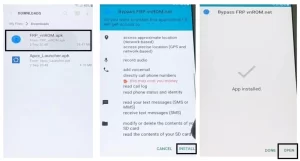
- Go to the Downloads and Install the FRP_VNROM.apk by Tap on Next => Install => Done
- Back to the web browser and Visit: www.tiny.cc/frptools
- Download Apex Launcher.apk and install it.
- Open the Apex launcher
- use VNROM Net APK
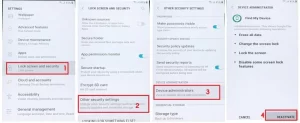
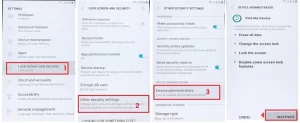
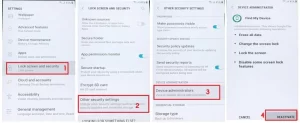
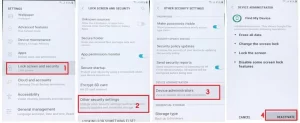
- Open Device Settings ==>> Security => Other Security Options==>> Disable Find My device
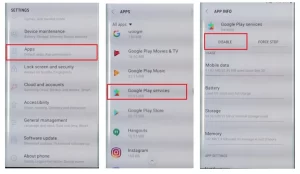
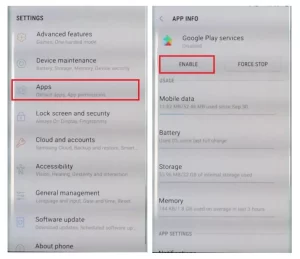
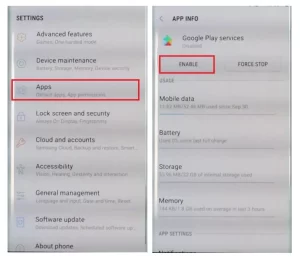
- Back to the Settings main menu, visit Apps =>> Find and Disable Google Play Services
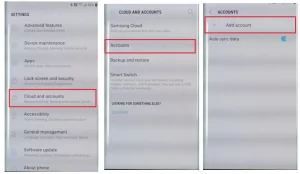
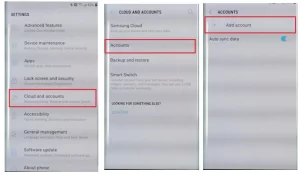
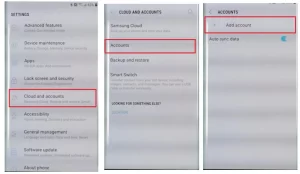
- Now add a Google Account => Settings =>> Account =>> Add Account => Google.
- Enable all the disabled services from Apps and Security.
- Restart the phone
- Set up all the initial steps.
- That’s it.